
Oops! All Microslop: Or, Trying to Write With Microsoft
In my last post I looked back at 2025, considering how FOSS continues to be central to how I do my work as a university professor. I probably had hoped 2026 would be better overall, but new horrors from Trump undermined that. But I'm going to ignore all that to focus on a different horror: Microsoft, particularly at York University. Even more particularly, the horror of trying to use Microsoft to do a basic task of academic life: writing.
This post is a bit of an "app walkthrough" -- a kind of experiment to see what happens if I started out from scratch wanting to create a blank document to do some writing using the Microsoft tools my university is paying for.
Fun With Brands
I was prompted to consider writing with Microsoft by reports that Microsoft has rebranded Microsoft 365 as "Copilot 365." I've seen mention of this on the fediverse and I can see it's a topic of conversation on Reddit.
It's one of those things that is simultaneously nauseating and yet all too predictable. After all, companies like Microsoft are slapping generative AI onto everything. People have probably expected Microsoft 365 to become Copilot for a while now.
But maybe it isn't true? Tom Warren of The Verge reports says "As much as Microsoft loves to shove its Copilot branding everywhere, Office hasn’t been renamed to 'Microsoft 365 Copilot app.'" Warren notes the confusion is coming from Microsoft's Office.com website, which itself was part of the Office to 365 rebrand. Warren's article does indicate why folks are confused:
That mention of “formerly Office” is Microsoft referring to the very old Office app that launched in 2019 as a way to try and convince people to use online versions of Word, Excel, and PowerPoint. Until a year ago it used to be called the Microsoft 365 app. Microsoft then announced it was rebranding its Microsoft 365 app in November 2024 to a Copilot one, which I and everyone else were very confused at. The new app icon and name — Microsoft 365 Copilot — then rolled out on January 15th last year to Windows, iOS, and Android users.
So is Office -- or 365 -- Copilot now? Or is it still 365?
Warren is probably right (he's been covering this for a while), but even if he's correct, 365 may as well be called "Copilot" now. That's what it is -- at least as I see it as a university professor. My experience trying to use it to basic writing shows why.
Word Processing
While I am a professor, as I've said many times, the core of my work is writing. And since I'm a child of the 1990s, 90% of the writing I've done in my life has been on a computer with a word processor, starting with WordPerfect in DOS.
For pretty much my whole life, "word processor" has been synonymous with "Microsoft Word." While I used Word for many years, people who read this blog know I currently do not use Microsoft tools, favoring FOSS alternatives such as LibreOffice Writer.
LibreOffice is free to download. It's been a stable part of my professional life for a long time. I've been using LibreOffice Writer (and before it OpenOffice Writer) since about 2006, writing multiple books and dozens of journal articles with it. I think at this point I've used it longer than Microsoft Word.
But I work for York University, which means that I get "free" access to Microsoft Office Office 365 Copilot 365's version of Word (or whatever it's called now.) And most of my colleagues (and students) no doubt use tools other than LibreOffice, including Word.
So, what's it like to write with Word these days?
Let's assume I wanted to create a fresh, new, blank document using my "free" subscription to Microsoft's tools. What does that look like from start to finish?
I Can't Write, but I Can Create Content
First, let me log in to the "free" 365 account supplied by York University. Using my university's website, I found the IT department's page for Microsoft 365.
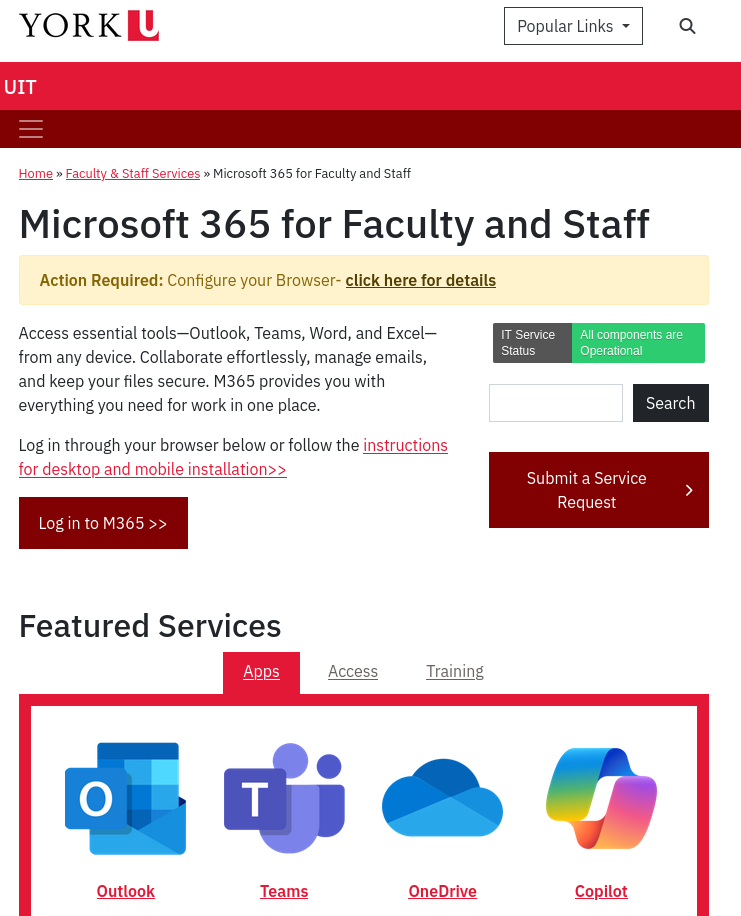
If I'm working for York and looking to write a document, and I know that Microsoft Office is now 365, I assume this is where I go. But the applications there are not about documents. Outlook does email and calendar, Teams is an abomination for collaboration, OneDrive is cloud storage, and of course there's Copilot to help me "generate content." (To be fair, Word is listed on this page, but it's presented as a text link under "Additional apps.")
But let's soldier on. We know 365 includes office applications, like Word.
I logged into 365 via my York credentials, and this is what I see:
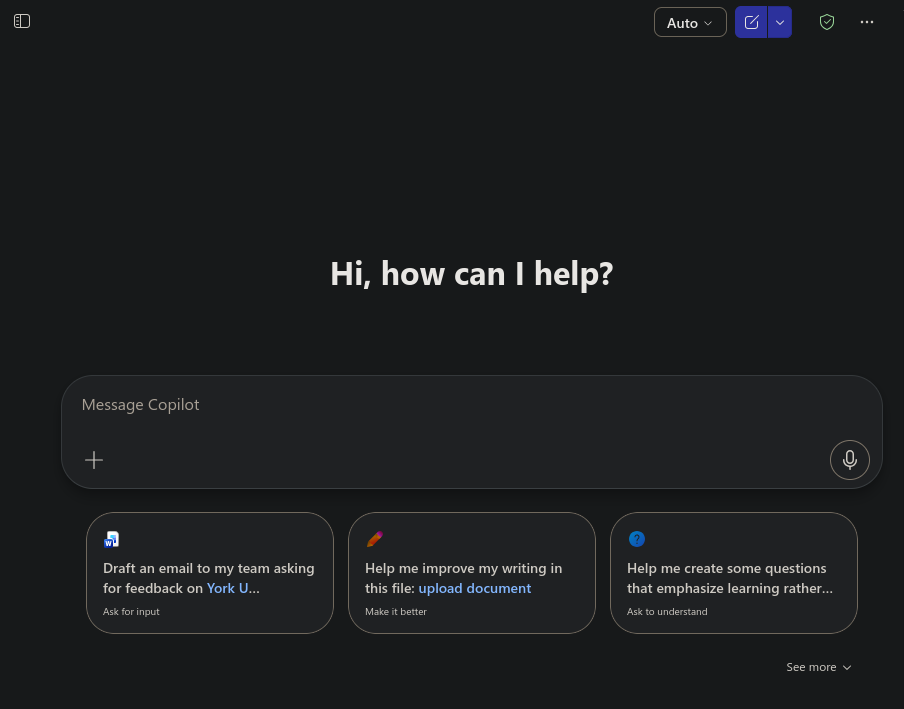
For folks believing that Microsoft is in fact rebranding Office/365 to Copilot, well, here's a good reason for it. I logged into "Microsoft 365 for Faculty and Staff" and I'm greeted with a generative AI chat interface.
How do I make a document? How do I start writing? There's a menu to the left -- if I click it, I see New Chat, Search, Library, Create, and Teach.
I guess I want to "Create." Let's click on that tab.

At this point I'm despairing a bit. I just wanted to write a document.
I guess I need something "More." If I click on that I can reach my destination -- eventually.
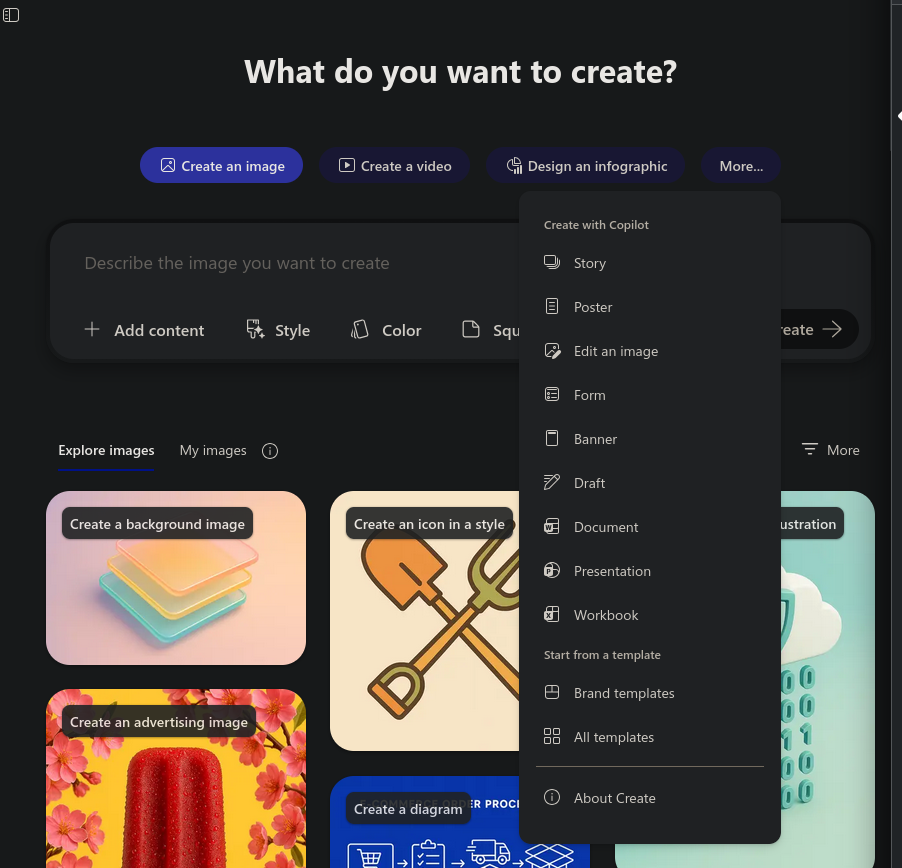
Notice in the screenshot what's at the top? "Create with Copilot." Anyway, let's click on "Document" and see what we get.
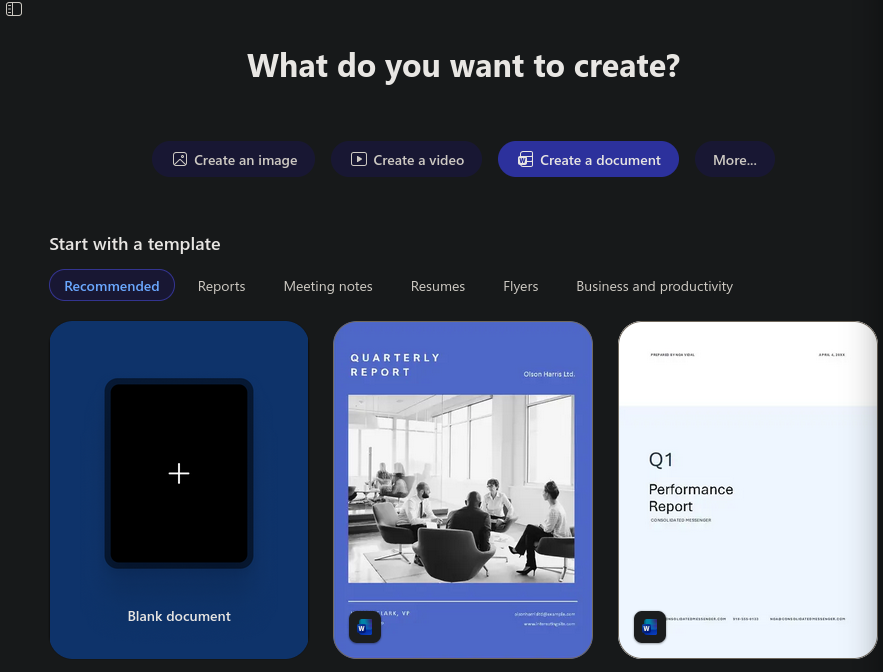
There it is! Finally! A blank document!
Overall, it's very clear that doing a simple task of writing a document is buried deep within the bowels of Microsoft's site. If I want to just fire up a document and start writing, I have to jump through a heckuva lot of hoops.
And, note also that "Word" is not mentioned in any of these steps. The most obvious, named entity is Copilot. Not Word, Powerpoint, or any of the other stalwarts of Office.
Everything about this system screams "use generative AI to make a bunch of content!" instead of doing something as simple as writing.
Just Give In, Robert
Maybe you're thinking that there's a fatal flaw in my effort to write a document using Microsoft. I spent so much time searching through menus when I could have just used Copilot!
What happens if I type "blank document" into that initial AI prompt?
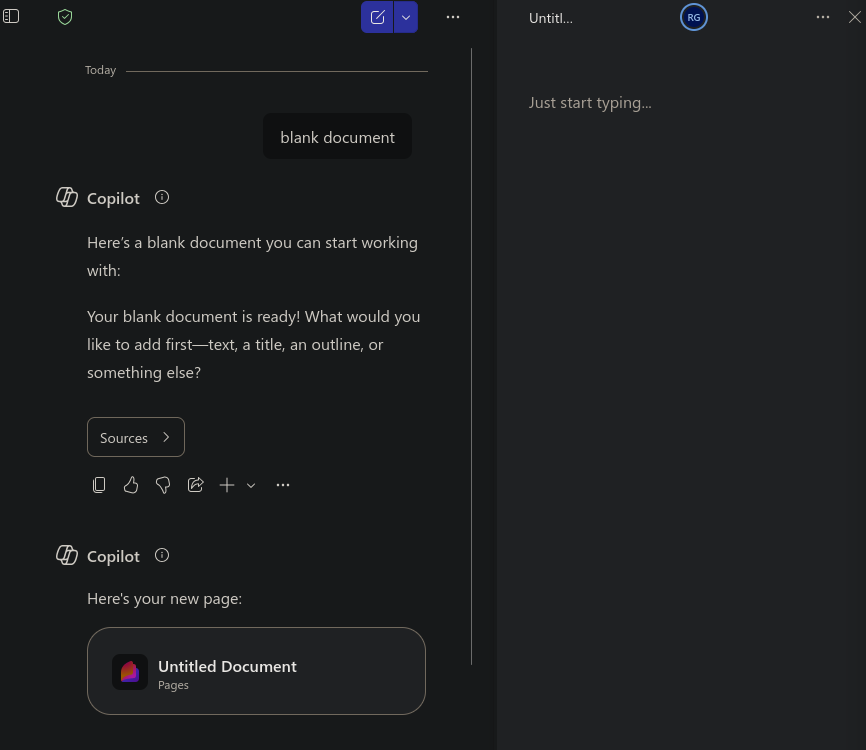
Well, I get a "Page," which appears to be a kind of text file I can export to Word?
No, I wanted a Word document. Let's correct it.
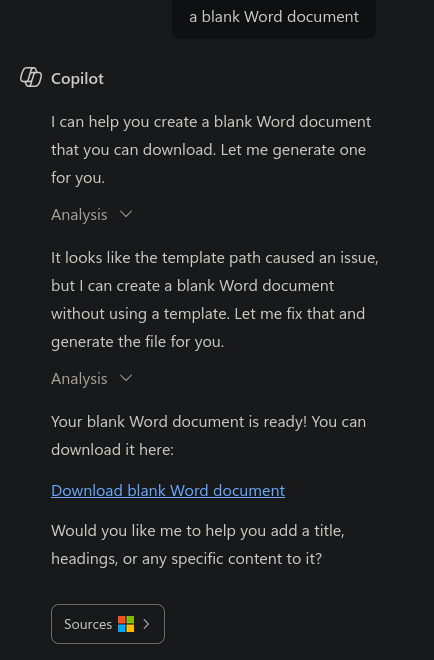
After quite a few seconds of "analyzing," Copilot created a blank Word docx file that... I can download to my machine, not edit online, as I intended. Let's prompt engineer our way out of this.
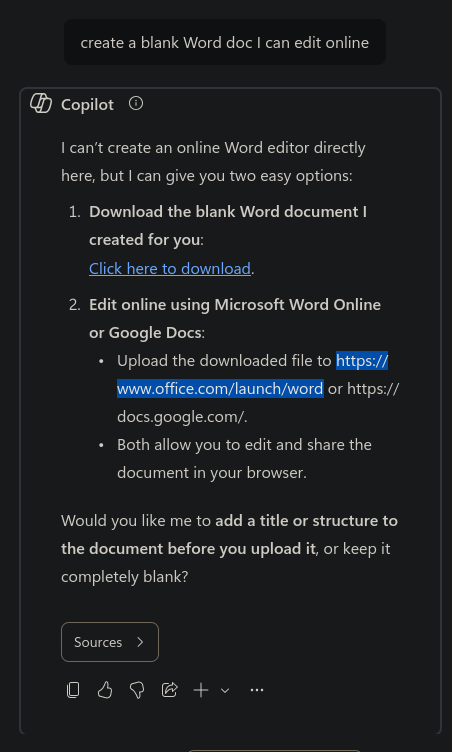
It turns out the default tool Microsoft is pushing cannot do the task I need it to. Even though I'm logged into 365 via my faculty credentials, Copilot can't do this basic job.
How much energy and water did I just waste trying to figure this out? I don't know.
What I do know is that every step of the way, these tools are constantly offering to do stuff for me. "Would you like me to help you add a title... or specific content"?
And I also know they don't start with a blank page or any other canvas for creativity. In fact, blank pages appear to be discouraged. Instead, these tools start with the presumption that they'll do the work for me, generating a bunch of slop that I can presumably stick into... something. A report? A presentation?
It's no wonder students are increasingly leaning on these tools to do writing and so much else. Their own universities are telling them to do so by contracting with companies like Microsoft. They probably expect their employers to do so.
And along the way, students are ceding the capacity to think to corporations. Rather than face the daunting task of filling in a blank page, just use our system.
Yeah, It's Copilot Now
And while Warren might be right in that Microsoft hasn't rebranded everything Copilot, the fact is... they've rebranded everything Copilot. That thing is everywhere.
Oddly enough, although it's everywhere, it can't do a basic task like create an editable online document. But it sure can generate cliched-looking infographics!
And for me, as a professor at a Canadian university which no doubt sends a fat check off to the US-based Microsoft every month, I'm just deeply angry. These are the tools we're paying for? That we're asking our students to use to write with? To do something so fundamental to intellectual exploration? A system that starts with the premise that generating slop is the beginning and end of thinking?
Microsoft execs are decrying the use of the term "AI slop," but what did they expect?
It's all Microslop, and it's all geared to have us avoid writing words in favor of creating content.
Comments
For each of these posts, I will also post to Mastodon. If you have a fediverse account and reply to my Mastodon post, that shows up as a comment on this blog unless you change your privacy settings to followers-only or DM. Content warnings will work. You can delete your comment by deleting it through Mastodon.
Don't have a fediverse account and you want one? Ask me how! robertwgehl AT protonmail . com
Reply through Fediverse